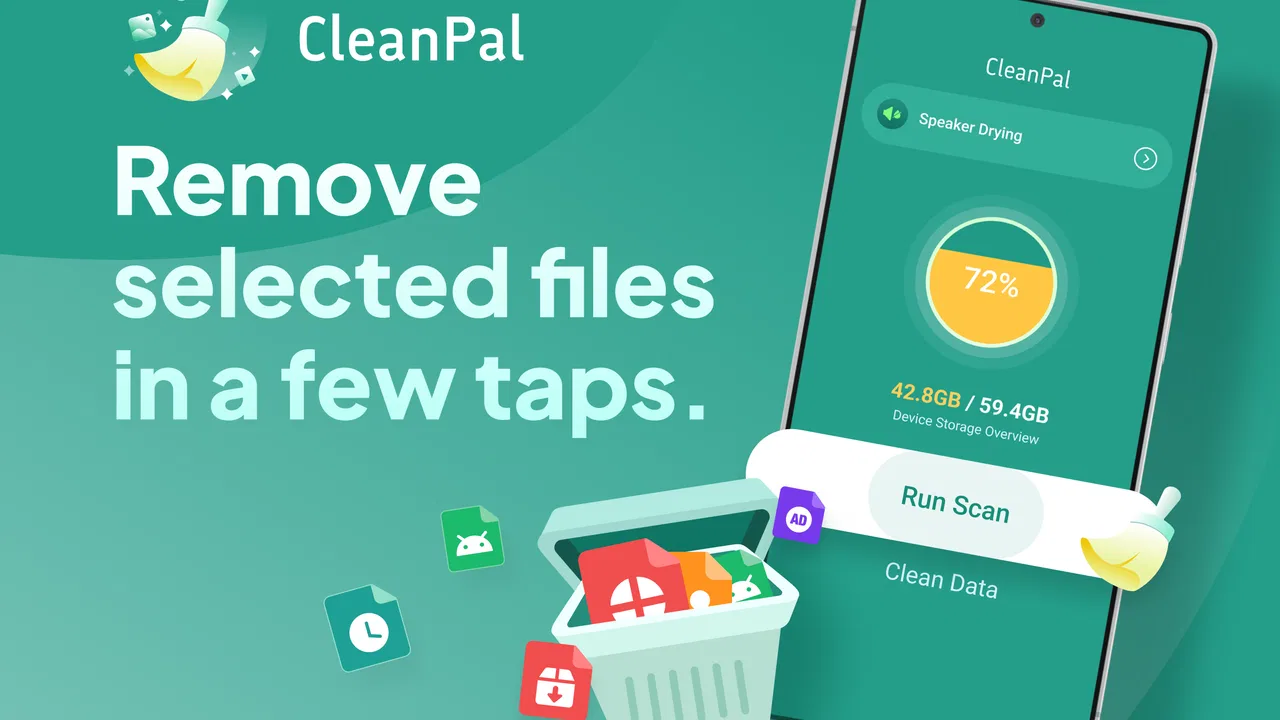
CleanPal
- 4.3
- Rating
- 100.00K
- Installs
- Free
- Price

 Analysis by App-foxy
My first impression of CleanPal was that it is aimed at a very ordinary problem: files accumulate quietly until finding one becomes harder than creating it. The app sits in the productivity category and focuses on reviewing storage files on an Android device. That sounds simple, but the value is in the moment of decision. Instead of treating storage as an invisible technical issue, it gives me a reason to look at what is actually sitting on the phone and decide what still deserves space.
That makes it different from a general file manager. A file manager is usually built around opening folders, moving items, and handling individual documents. CleanPal is more useful when my starting condition is uncertainty: I know the device contains downloads, old exports, duplicate-looking items, or forgotten media, but I do not want to browse every directory manually. I see it as a review step before deletion, not as a replacement for a full file-management tool.
The app is free, carries an Everyone age rating, and comes from Lemuria Dev. Its current version is 1.6.0, and it supports Android 7.0 or later, which makes it accessible on many older phones as well as newer devices. It has passed the early discovery stage too, with over one hundred thousand installs and a 4.3 average from roughly two hundred ratings. Those figures suggest a practical utility that people are willing to try, although they do not remove the need to check every suggested cleanup action carefully.
You May Also Like

 Pandora - Music & Podcasts
Pandora’s Music Is Easy to Start, but Harder to Recover
Pandora’s strength is its low-effort path from a seed to a station. Its weak spot is how much confidence it asks you to place in connection, setup, and quiet recovery.

 AccuWeather: Weather Radar
AccuWeather Review: A Quick, Clear Forecast for Everyday Decisions
For everyday plans, the best forecast is the one you can understand quickly. AccuWeather makes rain timing, radar, and local conditions easy to act on, with a few trade-offs.

 Hill Climb Racing
Why Hill Climb Racing Still Turns Crashes Into One More Run
A tiny car, a bumpy hill and one more upgrade: Hill Climb Racing keeps resurfacing because its simple chaos makes every near-miss feel personal.

 AliExpress - Shopping App
AliExpress Makes Global Shopping Feel Personal, but Shoppers Bear the Risk
AliExpress turns a global marketplace into a pocket-sized discovery engine. Its reach is useful, its shopping loop compelling, and its trade-offs easy to miss.

 Lords Mobile: Kingdom Wars
Lords Mobile Is a Kingdom-Building Routine, Not a Quick Match
A case-by-case verdict on the building, battles, device demands, and social commitments that make Lords Mobile rewarding for some players and exhausting for others.

 PDF Scanner app - TapScanner
TapScanner Makes Paperwork Easier to Capture, Check, and Share
TapScanner makes scanning with a phone feel less like a rescue operation and more like a dependable step in getting work done. Its capture tools are useful, though not flawless.
More From Our News Desk
View All News


From a crowded phone to a deliberate cleanup
When I use one phone for both personal tasks and shared household errands, storage clutter can blur who saved what and whether it still matters. I’d treat a cleanup as a chance to identify ownership before deciding anything, rather than assuming every unfamiliar file is disposable. The next step is setting sensible boundaries around what I review and what I leave untouched.
The starting condition: storage anxiety without a clear culprit
A realistic use case is a phone used for work and personal life at the same time. I might download a document from a chat, save a revised copy from an email, export an image from an editing app, and later forget all of them. None of those actions feels wasteful when it happens. Months later, the device contains several versions of the same project, screenshots that were useful for a day, and files whose names no longer tell me why I kept them.
This is where CleanPal makes sense. I would open it before the phone reaches a crisis point, when I still have enough patience to review items rather than deleting in a rush. The app’s purpose is not to make me feel that every file is disposable. Its better role is to turn a vague storage problem into a visible inspection routine.
I would also set a clear goal before starting. If I am trying to make room for a large offline download, I need a focused review of files that are safe to remove. If I am simply tidying, I can be more selective and preserve anything connected to current work. That distinction matters because cleanup is not the same as organization. Removing clutter can free space, but it does not automatically create a sensible folder structure.
The first pass: reviewing instead of blindly deleting
The useful habit is to treat each item as a question: do I recognize it, do I still need it, and would recovering it later be difficult? I would begin with obvious temporary material, old downloads, and redundant exports rather than touching files connected to active projects. A file that looks unimportant may still be the only copy of a receipt, a form, or a travel document.
CleanPal is best approached slowly on the first run. I would inspect names and locations, open anything ambiguous with the appropriate phone app, and only then decide. This is one of the non-obvious strengths of a storage reviewer: it encourages a pause between discovery and action. That pause is more valuable than a dramatic “clean now” button when the device contains personal or work information.
A practical trick is to divide the review into three mental groups. The first contains items I can identify as disposable. The second contains files I want to keep but may move or rename later. The third contains items I cannot identify yet. I would finish the first group, leave the second alone, and investigate the third outside the cleanup flow. This prevents uncertainty from becoming accidental deletion.
A step-by-step flow for an everyday cleanup
Imagine I have just returned from a short trip. My phone contains downloaded boarding documents, screenshots of directions, several edited photographs, and copies of restaurant receipts. I open CleanPal because the storage warning is becoming annoying, but I do not want to erase recent memories or documents that I may need for reimbursement.
I would begin by reviewing the files it presents rather than selecting everything at once. The first pass would be about recognition. A screenshot of a map from the trip is easy to identify, but a file with a generic name deserves more care. If an item belongs to a current folder or relates to an unfinished task, I would keep it even if it appears old. Age alone is a poor deletion rule.
Next, I would handle clear duplicates and disposable captures one decision at a time. For photographs, I would compare the visible versions before removing a weaker copy. For documents, I would keep the final version and avoid deleting earlier drafts until I know the final file opens correctly. This workflow may feel slower than a one-tap cleaner, but it reduces the chance of creating a second problem while solving the first.
After the obvious clutter is reviewed, I would stop and check what remains. This is an important handoff: CleanPal helps me identify candidates, but I remain responsible for the meaning of those files. I would then return to the phone’s normal gallery or document viewer for anything that requires context. The cleanup app is the inspection desk; it is not the complete history of why a file exists.
Handoffs between CleanPal and the rest of the phone
The most important handoff is from discovery to verification. A file reviewer can show me an item, but only the surrounding context tells me whether it is safe to remove. For example, a downloaded PDF may look like an old duplicate while actually being the copy I annotated. A photo may resemble another image while containing the original resolution I want to preserve.
I would also use a second handoff for anything that needs long-term organization. If I decide to keep a file, CleanPal should not be the end of the process. I would move important material into a folder with a meaningful name, back it up through my usual method, or attach it to the project where it belongs. This is a key trade-off: a cleanup review can reduce clutter, but it cannot replace a consistent filing habit.
Another useful handoff is to a person’s own memory. If I cannot explain what a file is for, I should not assume it is useless. I might search the filename in a conversation, open it in a document app, or check its surrounding folder. That extra step is especially worthwhile for work, school, tax, health, and travel documents. The safest cleanup decision is an informed one, not the fastest one.
For families sharing a device, this matters even more. A parent may recognize a school document that another person would delete, while a shared tablet may contain files belonging to several users. I would review ownership before making changes. CleanPal can support the review, but the handoff to the actual owner remains essential.
What the result feels like after a careful pass
The result I want is not an empty storage screen. It is a phone where the remaining files make more sense. After removing items I can confidently identify, I would expect less visual noise when browsing downloads and fewer moments of wondering which copy is current. The benefit is partly recovered space and partly reduced friction the next time I need a document.
CleanPal is also useful as a maintenance checkpoint. Instead of waiting until the device is nearly full, I can make a short review part of a broader digital housekeeping routine. I would use it after finishing a project, after returning from travel, or after exporting a batch of media. Those are natural moments because the temporary files have served their purpose and the final material is easier to recognize.
One subtle advantage is that the app changes how I think about storage. A phone is not just a container that becomes full; it is a record of unfinished decisions. Reviewing files soon after a task makes those decisions easier because I still remember what was temporary and what was important. That timing is more effective than trying to reconstruct the past months later.
For someone who regularly downloads documents, receives attachments, or creates multiple exports, this can become a practical productivity step. The gain is not only technical space. It is the time saved when a useful file is easier to distinguish from a pile of forgotten copies.
Where the flow breaks
The workflow becomes less comfortable when I expect automation to make the decision for me. A storage reviewer is not a substitute for judgment, especially when filenames are vague or several versions look similar. Anyone hoping for a completely hands-off cleaner may find the review process too deliberate. That is not necessarily a flaw, but it does define the app’s role.
It can also be the wrong choice if my main need is advanced file operations. If I want to synchronize folders, rename hundreds of files according to a pattern, browse network locations, or manage a detailed archive, I would choose a full file manager or a dedicated backup tool instead. CleanPal is more focused: it helps me inspect what is on the device and make cleanup decisions.
Another limitation is behavioral rather than technical. The app cannot solve clutter caused by repeatedly saving the same material unless I change the habit that creates it. I might clear old downloads today and recreate the same mess tomorrow. The best way around that is to use the review as a trigger for a simple rule: keep one final copy, move important files promptly, and remove temporary exports when the task is finished.
I would also avoid treating a cleanup session as a backup session. Before removing anything irreplaceable, I would make sure the important copy exists somewhere I trust. This is especially important for personal photos and documents. A tidy phone is not automatically a protected phone, and confusing those goals is where a useful cleanup can become a serious mistake.
Who should use it, and who should skip it
I would recommend CleanPal to Android users who feel that their storage is crowded but do not know where to begin. It suits people who download many attachments, keep several versions of documents, or want a regular review without learning a complicated file-management system. It is also a reasonable choice for anyone using an older supported phone and looking for a free productivity utility rather than a broad suite of tools.
I would be more cautious about recommending it to someone who rarely stores files locally or already has a disciplined folder and backup system. In that situation, the app may add another step without solving a real problem. I would also point advanced users toward a more specialized alternative when they need automation, synchronization, or detailed control over file operations.
The right expectation is simple: CleanPal helps me review storage files, but I still need to understand what I am reviewing. Its strongest workflow is candidate discovery followed by human verification, then a separate decision about keeping, organizing, backing up, or removing each item.
My final take after using the workflow
I like CleanPal because it addresses a small but persistent source of digital friction. It does not ask me to redesign my entire phone. It gives me a focused reason to examine forgotten files and make better decisions about them. The free price makes trying that workflow easy, and the Everyone rating keeps it approachable for a broad audience.
My recommendation comes with one condition: use it as a careful review companion, not as permission to delete indiscriminately. Start with files you recognize, pause at anything ambiguous, and hand important items off to a proper folder or backup before removing anything. Used that way, the app can turn a crowded storage problem into a manageable routine.
For me, the best outcome is not simply more available room. It is knowing why the files that remain are there. If that is the kind of cleanup you need, Lemuria Dev’s CleanPal is a sensible productivity app to try. If you need a full archive manager or automatic file administration, I would look elsewhere. For everyday storage review, though, CleanPal keeps the task focused and understandable.
FAQs for CleanPal
01What is CleanPal and how does it work?
CleanPal is a comprehensive utility app designed to optimize your device's performance by cleaning junk files, managing storage, and enhancing battery life. It works by scanning your device for unnecessary files, cache, and background processes that can slow down your phone, providing an easy way to free up space and increase efficiency.
02Does CleanPal affect the performance of my device?
CleanPal is designed to improve your device's performance by removing clutter and optimizing system processes. It runs efficiently in the background without using excessive resources. Users typically experience faster response times and smoother operation after using the app to clean and optimize their device.
03Is CleanPal safe to use?
Yes, CleanPal is safe to use. The app is developed with strict security protocols to ensure that it does not access or share personal data. It only targets unnecessary files and background processes, ensuring that no essential data is deleted during the cleaning process. Always download from reputable sources to avoid counterfeit versions.
04Does CleanPal require a subscription or is it free?
CleanPal offers a free version with basic features sufficient for most users. However, there is also a premium version available, which provides additional features like advanced cleaning options, scheduled cleanings, and priority customer support. Users can choose based on their needs and budget.
05What devices are compatible with CleanPal?
CleanPal is compatible with both Android and iOS devices. It supports a wide range of operating systems, ensuring that most smartphones and tablets can benefit from its features. Always check the app’s specific requirements on the download page to confirm compatibility with your device's model and OS version.
Pros
- User-friendly interface
- easy to navigate.
- Customizable cleaning schedules.
- Efficient memory optimization feature.
- Minimal impact on battery life.
- Supports multiple languages.
Cons
- Frequent ads can be distracting.
- Some features locked behind paywall.
- Occasional slow performance on older devices.
- Limited customer support availability.
- Requires internet for full functionality.

CleanPal
Gallery